Showing posts with label TECH TIPS. Show all posts

REMOVING ICON COLOR BEHIND ICON TEXT

Posted by Unknown | Labels: | Posted On Friday, October 14, 2011 at 10/14/2011 04:31:00 AM

How to remove color from behind desktop icon text:
 
For windows XP and Vista


1. Right click on the My Computer, select properties.
2. Click on the Advanced Tab ( as shown in the image below ).
3. Click the on the Settings button, you will see a new window showing numerous number of options related to the GUI of windows. ( as shown in the image below).
4. As highlighted in the image above make sure to check the box which says “Use drop shadows for icon labels on the desktop“. and click Ok 2 times.
5. That’s it ! Done.

FREE DOMAIN -100% FREE:

Posted by Unknown | Labels: , | Posted On Saturday, April 16, 2011 at 4/16/2011 09:18:00 AM

HI FRIENDS if u want to get Free Premium Domain.com

Get your Free Domain name
------.com .net .org -100% Free

ONLINE EARNING FROM PTC:

Posted by Unknown | Labels: , | Posted On Sunday, December 12, 2010 at 12/12/2010 07:48:00 AM

Earn Money From (PTC) Paid To Click Sites Simply Click and Earn Real Cash!    

Not Sure what to do?

Click Here To View Guide

        Free Registration! Get Paid and Earn Money via:

  Click Here to Register:Paypal "Online Bank" Account

                                 Click Here to Register:Alertpay "Online Bank" Account 

                Next, Click Banners Below and Register! Earn Money by Just Clicking Advertisements Everyday! =) 

Highly Recommended Site! Click Neobux's Banner Below and Register!


$0.01 Per Standard Click .Minimum Payout $2.00(till $10.00 Fixed) .After Login, Click on View Advertisements (upper mid). Click any Ads then click the red dot.
 
Earn Credits and it will be redeemed to $US after a week or two. •Minimum Payout $5.50 •After Sign in, Go to Browse/Search then Click All Ads Simultaneously! •Optional:Click on Ads that interests you to help the site . •Always Refresh the Page for more Credits. 
 
$0.01 Per Standard Click •Minimum Payout $10.00(through Check only)


SCREEN KEYBOARD:

Posted by Unknown | Labels: | Posted On Sunday, December 5, 2010 at 12/05/2010 09:56:00 PM

        In case your keyboard or some keys stop working, Microsoft provides you with an alternative way to type-in using the mouse.
To work this tool,
  • Go to: 'Start menu'
  • Select: 'Run'
  • Type in: 'OSK'
  • Press: 'OK'
 Please Feel Free Comments about this topic. Thanks for View  


WINDOWS MUSIC RING TONE:

Posted by Unknown | Labels: , , | Posted On at 12/05/2010 07:25:00 AM

DOWNLOAD WINDOWS MUSIC RING TONE:


                                                                                                       DOWNLOAD HERE

SETTING BLOG:

Posted by Unknown | Labels: , | Posted On Thursday, December 2, 2010 at 12/02/2010 10:56:00 PM

If your blog want caried by google, you must doing several settings. This is how to setting your blog:


  1. Login to blogger.com with your ID.
  2. If your blog more than 1, click at the blog title want to setting.
  3. Click Setting and then click Basic. Several form that must in the contents to the menu basic:
 Title : Content with your blog title. Example : Blog Tutorial.


 Description : Content with your description blog. Example : All about blogging can find       here.

 Add your blog to our listing : chose Yes, so that every time posting always entered the Blogger.com list.

Show Quick Editing on your blog : Chose Yes.


Show Email post link : It is best to chose Yes, but if you chose No also it's allright.


 Show compose Mode for all your blog : Chose Yes.


         Show transliteration button for your post : chose Yes if the you wanted to be button to change normally alphabet to hindi (India) alphabet, Chose No if being the reverse.


       Click Save Settings.


       Finish.


 4.Click Publishing to arrange the publishing menu.


 Blog’Spot Address : Content with your blog address. Example : kolom-tutorial.


 Send Pings : Chose Yes.


       Click Save Settings.

      
       Finish. 


 5.Click Formatting to arrange the formatting menu.


     Show : Chose the number of post want you to display in your blog. Example : Show : 6 post, it's means your posting will display in your page Totally six posting. Chose Post (don't days) at pulldown menu

     Date header Format : Chose the style of date/month what you wanted, this date/month will display above your post.


     Archive Index Date Format : Chose the style for your archive


     Timestamp Format : Chose the style of the time, what you wanted.


     Time Zone : Chose the matching zone with your place. Example for WIB : [UTC+7.00] jakarta.

      Language : Chose language what you wanted.


      Convert line break : Chose Yes, but if you chose No it's allright.


      Show Link Field : Chose No, but if you chose Yes it's allright.


      Enable Float aligment : Chose Yes, but if you chose No it's allright.


         Click Save Settings.


         Finish.


 6.Click Comment to arrange the Comment menu.


     Comments : Chose Show.


 Who Comment? Chose Anyone. It's means anyone can comment to your post.


     Comments Default for Post : Chose New post Have Comments


     Back links : Chose Show. It's means you will know if another people has linked to your post.


     Backlinks default for Posts : Chose New post have Backlinks.


       Show comments in a popup window? : Chose Yes. It's means when the people click Comment link your blog not lost.


        Show word verification for comments? : It's better to chose Yes


        Enable comment moderation? : Chose No, but if you wanted chose Yes it's allright.


        Show profile images on comments? : Chose Yes. It's means the photo of commentator of blogger member can display.

      
        Comment Notification Address : Content with your email address.


                 Click SAVE SETTINGS.


                 Finish.


 7.Click ARCHIVING to arrange the archiving menu.


       Archive Frequency : Chose monthly.


       enable Post Pages? : Chose Yes.


              Click SAVE SETTINGS.


              Finish. 


 8.Click Site Feed.


 Publish Site Feed : Chose Yes.


 Descriptions : Chose Full


 Article Footer : If you have advertising code like Google Adsense, you can insert the code here.


              Click SAVE SETTINGS.


              Finish.
Please Feel Free Comments about this topic.


ADDING FACEBOOK SHARE BUTTON TO BLOGGER:

Posted by Unknown | Labels: , | Posted On at 12/02/2010 10:29:00 PM

Go to this page click here,


And make your button ( customize it ). there are some easy options and you can check the preview button to see your button.
See the following image to see the button different styles.

After Finish you button customization, please copy your button code and go to the next step.
Please Feel Free Comments about this topic

TRICKS TO GET FREE TRAFIC TO BLOGS:

Posted by Unknown | Labels: , | Posted On at 12/02/2010 10:22:00 PM

            Get free traffic it means you can get visitors to visit your website or blog freely without paying anything. Right now on the web there are million tricks to get free traffic to your website or blog. But some ways may cause your website or blog has been banned or penalty by search engine. Especially from giant search engine is Google. So how to get the right way to build free traffic to your website or blog without getting any barns or problems from the search engine such as Google, Yahoo, MSN or others?


    Getting free traffic online is easy but it's not a day process and it does take time and dedication but it is worth if you seriously want to earn money online. Please remember that when you start building traffic to your website or blog "build everyday 1 backlink to your website, 1 month you will get 30 backlinks and 1 year you will get more than 350 backlinks".


    One of the best tricks is submitting your website or blog to a biggest search engine is Google and it's free. With this way you can bring in hundreds or even thousands of visitors per day freely to your website or blog. When you submit your website or blog to Google, please try to wait patiently while Google index it. It can take a few months. But in this time you can build more backlink or update your articles or you can do the same way by submit your website url to Yahoo, MSN, etc.


    Don't just wait for seeing your website or blog index by Google or other search engine. But you can do many things for your website or blog such as building more backlinks from doing some comments on the other forums or some web directories (but don't forget to leave your url there).

Get Free Traffic System:

1. To get list in search engines, just submit your website to dmoz.org

2. Submit your website to Search Engines and web directories:

 Google: http://google.com/addurl.html

 MSN: http://search.msn.com/docs/submit.aspx

 Yahoo: https://siteexplorer.search.yahoo.com/submit
 
  or http://search.yahoo.com/info/submit.html

  40 search engines: http://submitexpress.com/

  Top 20 search engines: http://addme.com/ New

   Search Sight: http://searchsight.com/submit.htm

   Web world: http://www.webworldindex.com/

   Submit Biz: http://www.submit.biz/

   Skoobe: http://www.skoobe.biz/

   Dramba: http://www.dramba.com/

   Directory Storm: http://www.directorystorm.com/

   Info Tiger: http://www.infotiger.com/addurl.html

   Cyber Web Search: http://www.cyberwebsearch.com/

   Arakne Links: http://www.arakne-links.com/submit.php

   Sonic Run: http://search.sonicrun.com/freelisting

   Cuil: http://www.cuil.com/info/contact_us/feedback/crawl_me

   A1 web directory: http://www.a1webdirectory.org/save-records.asp

3. Sign up your website with free traffic's credits http://trafficswarm.com (don't buy credit and don't use this method if you are using Google AdSense). Not recommend.

4. Sign up with some social networking sites such as Facebook.com or MySpace.com

5. Sign up a Twitter account if you don't have one www.twitter.com and connect with your Facebook & MySpace.

6. Sign up a blog with wordpress.com to join with www.tweetmyblog.com to instantly transform your Twitter account into a traffic hurricane to your blog! Don't forget leave some backlinks in your blog to your website. Let's see topic "Traffic from blogs".

7. Finally, go to traffic from twitter to twist your social networks with twitter.


Beside the above free traffic system, you also can get more and more free traffic to your website or blog from our 3th topic "build web traffic" such get free traffic from twitter, youtube, blog and more.


Free Backlinks Submitter:

       Below is the list of backlinks free web directory that you can submit your website to there without reciprocal link. So you can get free backlinks to your website to increase your Page Rank more for better SEO (Search Engine Optimization) and finally you Get Free Traffic.


1. http://freebacklink.net//

2. http://nickstraffictricks.com/1537_free-back-links-to-your-site/

3. http://simplesitesbigprofits.org/free-back-links/

4. http://myrtlebeachhouserentals.org/free-backlinks/

5. http://www.curefortoenailfungus.org/free-back-links/

6. http://backlink.us/

Please Feel Free Comments about this topic.

SUBMITING BLOG TO BLOG DIRECTORIES&INCREASE TRAFIC:

Posted by Unknown | Labels: , | Posted On at 12/02/2010 08:20:00 PM

         This post explains how to increase your blog traffic by submitting your blog to different kinds of blog directories which rates,provide statistics about your blog and provide free traffic and maximum exposure to your blog.

      Submitting your blog to these directories is a very good thing to do particularly if your blog is very new one with low traffic.

      These blog directories have high pageranks than your blog(since your blog is a new one with pagerank Zero).So, if someone searches for a particular keyword,there is more possibility for the blog directory to appear in the results than yours.So,by adding your blog to these directories,the visitors enters these directories containing your articles(when they click the article,they enter your site) and also your blog posts will be indexed little faster.So,submitting your blog to these directories will gain you more traffic.

     (If your blog is a new one,then put a visitors tracker button in your blog,sothat you will see how many visitors are coming from these directories,from search engines,visitors geolocation,etc).

Here are a few popular visitor tracker websites:

1.Histats(histats.com)


2.Sitemeter(sitemeter.com)


3.Statcounter(Statcounter.com)

So,let me come to the main topic...


        Before submitting your blog to these blog directories,my personal suggestion is to create a new email address for this purpose so,your personal emails can't flooded with the emails from the blog directories administrators,etc.)Creating an email is free lol....creat one.


Many of these directories asks you to register before submitting blogs.


There are so many hundreds of blog directories,here is the list of very good popular directories which will send you maximum traffic.

LIST OF POPULAR BLOG DIRECTORIES:

Technorati:Technorati is the largest blog(weblog) directory currently tracking more than 112.8 million blogs.Join technorati and verify your authorship,then you will be provided with detailed statistics regarding your blog,how many blogs are linking to your blog,(they call it 'authority').It is one of the best blog directory and will send tons of triffic if your blog is regularly updated.


Topblogarea:This is another big blog directory which rates and rank the blogs interms of Unique visitors your blog gets.They start the counting from Zero every week, so that even newly submitted blog can have the chance to rank higher in the list.


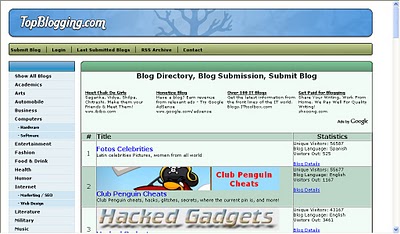
Topblogging.com:This is another source of weblogs which also rank the blogs according to the unique hits they get.Nice blog resource,bring you lots of traffic to your blog.
Blogtoplist:Same here,they rank according to the unique hits you get.But,there is a little change, they will give you to place a voting button in your blog.If any visitor votes for your site from your blog,that is equal to 100 unique hits,but there is only one chance per visitor(one IP address) a day.


Fuelmyblog:This is a cool weblog resource which is different from the ones we discussed so far.You can vote to other blogs and others vote to you.They will keep the top six blogs(voted the most) on the homepage.You can join their forums, read other blogs content,joining in the compitetions and win prizes,etc.


MyBloggingarea:This is a very good weblog directory which ranks the blogs accoring to the unique visitors they get,brought me so much traffic to my celebrity blog than all the other blog directories.I recommend this.


BlogCatalog:It is another good blogging resource,you can promote your blog here for FREE,find other blogs related to yours,etc.They have a special formula to rank the blogs,the more visitors,hits,comments,neighbourhood you get the more your rank will be.Another recommended one.You can join their forums,discussion board,groups,etc with other bloggers and share your thoughts.


BloggingFusion:It is a new one and not a very big one(around 950 blogs) at this time.But,it is a good one and doing pretty well.You can increase your blog exposure, worth a link to it.


Bloghop:You can find blogs related to your blog topic here.Have a nice tracking button and currently having more than 29,000 blogs.

Blogarama:Cool weblog directory currently having more than 69,000 blogs.It will list the blogs in terms of the score your blog have.The score depends on so many things like incoming traffic,outgoing traffic,user ratings,etc. and if you send more traffic to they,they will list your blog in the top 100 blogs.


Topbloglists:Another blog directory which will rank your blog according to the unique hits your blog will get.


Myblogdirectory:This doesn't list blogs interms of any visitors,etc. All blogs are listed randomly so,every blog get the same exposure.If you sent more traffic from your blog to them,your blog will be choosen as a BLOG OF THE DAY which will be placed on the homepage and your blog will recieve the whole traffic their site gets on that day.

Blogroll.net:Another blog resouce which rank accorking to the votes and unique hits your blog get.


Please Feel Free Comments about this topic.

WATCH AND DOWNLOAD ONLINE MOVIES:

Posted by Unknown | Labels: | Posted On Sunday, October 10, 2010 at 10/10/2010 07:11:00 AM

                            This program is one if not the best movie software i have found been using it now for about 1 day and thought i would post up here for all you lot. 
Worth a download because its really good. 
more info below :- 
The easiest and fastest way to watch full-length videos online. 
  • Access to over 130,000 videos
  •  Full-length, full-resolution files
  • High-Definition video support
  •  Faster than peer-to-peer
  •  Integrated playback
  • Free to download and use
  •  Contains no spyware or adware
  • Easy installation and setup
Streaming Video Playback
* Instant access to over 130,000 videos
* Full-resolution, full-length files
* Forget BitTorrent, Graboid Video features little-to-no waiting for video playback
Downloading
* Download any video in our database for viewing or burning later
* High-definition video files are available
* Max-out your connection with the fastest download speeds anywhere
Integrated Playback
* Play video files directly within the application
* Full-screen, high-resolution playback
* Crystal-clear digital audio
Full Web Integration
* View details on your favorite videos directly within Graboid Video
* Participate in discussions and get support with built-in community forums
* Manage your account details without ever leaving Graboid Video


To download :-
Download links :
http://www.graboid.com/downloads/GraboidVideoSetup.exe
To go to website :-
http://www.graboid.com

WATCH HOLLYWOOD/BOLLYWOOD DIVX MOVIES ONLNE FREE

Posted by Unknown | Labels: , | Posted On Friday, September 10, 2010 at 9/10/2010 07:38:00 PM

In the mood to watch a full movie online for free? You can use JOOX.NET to watch Hollywood, Hindi, Anime, Cartoons, TV Shows, Music videos, Documentaries, and foreign movies streaming online with subtitles for free! The site does not actually host any videos itself, but instead bookmarks videos from the site Stage6, which is a video sharing site like YouTube, but for high resolution DivX videos.


In order to watch the videos on Joox.net, you will need to install the DivX plugin from STAGE6. Of course, since some stuff may by copyrighted, Stage6 will remove it and it may not work on this site. However, from playing around with it, all of the movies I’ve played so far work fine. The resolution in very high and you can even watch them full screen.


It doesn’t have the latest movies or anything like that, but if you’re in the mood for Casino (1995), The Man Who Knew Too Much (1934), Psycho (1960), or Schindler’s List, then this is the place to go. Also, I liked their selection of Bollywood movies and comedy/stand-up videos.


You can also download the videos to your computer if you life. And if you know how to create DivX files, you can upload them yourself by creating an account on STAGE6. Of course, you can also go to Stage6 itself and watch a host of other high resolution movies and videos there.


Stage6 has many more categories and allows for search by tags or lookup through “channels”, such as Anime, move trailers, music videos, etc. Using Stage6, you can download videos for playback on your computer, TV, or portable media player like the iPod, etc. Lots of free video at very high quality! Enjoy!
                                          COLECTED frm-[http://www.online-tech-tips.com]

Posted by Unknown | Labels: | Posted On at 9/10/2010 07:11:00 AM

HowTo: Speed up a very slow computer

What To Do When . . .Your Computer Is Running Very Slowly

Speed Up A Sloth-Like PC With These Tips

What happened to your heavy-duty speed-demon system? All those megabytes of memory, big bad buses, and CPU clock cycles haven't kept your PC from drifting into the slow lane. This isn't just the gradual degradation most PCs undergo over time. But there haven't been any major blowups, either. So what gives?

A number of factors, having little to do with the age or capabilities or your system, can create excruciating system slowness. The Windows OS (operating system) is notoriously inefficient, which can affect performance. The file system also impacts Windows and hardware performance. How you work with applications can improve system speed, as can some basic hardware updates. Try the easy steps below to get your system back into the fast lane.


Windows' Disk Cleanup utility will help you free up hard drive space, giving Windows and other applications more room to work.
Operating System.
The operating system is a critical piece of software that has a great influence on the overall performance of your PC. There are many things you can do within the OS that will help speed up a slow computer.
Limit startup programs. The wrong startup programs can slow down your PC at boot time and beyond. Unnecessary startup applications not only bog down the boot process, but they also run (often hidden) in the background and consume valuable system resources. Too many background applications will eventually leave nothing left for active programs.

The easiest place to find and remove startup applications is in Windows' Startup folder. From the Start menu, select Programs (All Programs in Windows XP) and find the Startup folder. Delete anything that doesn't absolutely need to run automatically all the time. Firewall and antivirus applications are two of the very few types of programs should always be running on your PC. Not all vendors are up front enough to place their applications in the Startup folder, however. Use Windows' System Configuration Utility to remove hidden startup applications. From the Run prompt (in the Start menu) type msconfig and click OK. Select the Startup tab to check out what other apps are launching at boot up. Uncheck anything nonessential. Many processes and programs have cryptic or obscure names. When in doubt, search the Web to find out what a particular process is supposed to do.

Clean out fonts. Fonts are wonderful things. The different types let you give voice to a wonderful variety of expression. But unused or useless fonts are a drag on system performance. Windows loads all your fonts at bootup, just to keep them handy in case an application needs them. But the more fonts you have, the more resources Windows consumes in keeping track of them. You probably have dozens of fonts you won't ever need, and didn't know you had. Periodically go into Windows' Fonts folder (C:\Windows\Fonts) and remove any unused Fonts. Select each font (hold down SHIFT or CTRL while clicking to select contiguous or noncontiguous groups, respectively) and choose Delete from the File menu. Double-click a font to view a sample.

End active desktop. Windows' Active Desktop feature, introduced with Internet Explorer in Windows 95, brings live Web content to your desktop. Even if you enjoy this constant stream of information, it can require exorbitant amounts of video and system memory. Deactivate Active Desktop in Windows 9x/Me by right-clicking a blank area of the Desktop, clicking Properties, and selecting the Web tab. Uncheck the View My Active Desktop As A Web Page box. In WinXP, right-click the Desktop, choose Properties, and select the Desktop tab. Click the Customize Desktop button and, under the Web tab, uncheck each listed Web page.

Keep it simple. WinXP's default set of animations and transitions is pleasing to the eye. But it doesn't do your PC any favors, especially if your hardware is a couple years old. All that sliding, fading, and shadowing takes a toll on memory and processing power. But WinXP animations aren't an all-or-nothing proposition. You can customize which effects to use or let Windows handle the decisions. Access your System Properties from the Control Panel (or by right-clicking My Computer and selecting Properties).


Windows' Disk Cleanup utility will help you free up hard drive space, giving Windows and other applications more room to work.
Navigate to the Advanced tab and select the Settings button in the Performance category. Prioritize performance, appearance, or let Windows choose a middle route. Alternately, choose the Custom option and enable or disable specific visual effects by checking or unchecking their respective entries.

Play server. Win98 and WinMe handle caching and multitasking functions based on whether they think you're running a desktop, mobile, or server-type machine. The nice thing is that you get to decide. Setting your machine up as a "network server" in Win98/Me will take advantage of performance features standard in later OSes. Right-click My Computer on the Desktop and choose Properties from the context menu that appears. Select the Performance tab and click File System. Change the Typical Role Of This Computer field to Network Server.

Clean out the Registry. Windows' Registry often contains duplicate or obsolete entries. The Registry is a database storing all the configuration information for the OS and your system—cleaning it out can help improve Windows' performance dramatically. Don't try to browse and delete Registry entries manually, though. You can easily render your system inoperable with one wrong move, so find a respected Registry utility (we review several in our "System Performance Utilities" sidebar). No matter how much you trust a Registry utility, though, always back up the Registry before attempting to clean it out. Launch the Registry Editor from the Run option under the Start menu. Type regedit in the command line

and click OK. From the File menu, click Export and save the backup file (with a .REG extension) in a safe place. To restore the Registry, simply open the Registry Editor again, choose Import (also under the File menu), and find your backup file.


Use Windows' Task Scheduler to automate routine maintenance activities.

Reinstall. Over time, despite your very best efforts, Windows can become so top-heavy and cluttered with orphaned files, abandoned applications, and unnecessary processes that it's best to just start over from scratch. Power users, especially those with lots of programs and a large amount of file system activity, are especially prone to bogging down the OS. Though reinstalling the OS is an extreme step, and should be a last resort, you will probably see a significant improvement in performance with a clean Windows installation. Be prepared to back up all your data, reinstall all programs, and devote time to setting up again. See "What To Do When . . . You Need To Reinstall Your OS" on page 43 in this issue for in-depth step-by-step instructions.


File System.
Organize and maintain your files to keep your PC running smoothly. Here are some tips for the specific areas.

Make room. A full hard drive will bog down your system on all fronts. For one, as the drive fills up, Windows has to search more and more data to fulfill each request. More importantly, though, a full disk hinders the OS' ability to move files around temporarily and to manage virtual memory. First, empty the Recycle bin. You can easily lose hundreds of megabytes to files just sitting around waiting to be fully deleted. Then, run Microsoft's Disk Cleanup utility. From the Start menu, you will need to go to Programs, Accessories, and System Tools. Open Disk Cleanup, select the drive, and click OK. The utility will analyze the system and offer suggestions. Check each box and click OK. Next, uninstall unused applications. From Windows' Control Panel, select Add/ Remove Programs. Remove any programs you don't use, especially applications preinstalled by the manufacturer. Finally, archive infrequently used data to removable storage.

Remove temporary files. Disk Cleanup doesn't get rid of everything. Free up even more space by manually searching for and deleting temporary files. Most applications use temporary files to store session-specific information, back up active files, and (in theory) delete them when you close the program. But sometimes, for a variety of reasons, temporary files aren't deleted. So they sit, taking up valuable disk space, and not doing anything remotely useful. Open Windows' Search tool (called Find in Win98) from the Start menu. Find all files beginning with a tilde (~) (search for "~*.*") and all files with a .TMP file extension (search for "*.tmp"). Remove any that aren't immediately associated with an open file or application.

Defragment. A full hard drive isn't your only potential problem. Even with plenty of free space on a drive, the file system can become so fragmented that Windows can't efficiently access and store data. The OS stores information on a hard drive in sectors. When there aren't enough contiguous sectors available, Windows stores parts of files in different places on the disk and then keeps track of them all in a file allocation table. Removing files and applications further scatters sectors on the disk. Thus, over time, fragmentation occurs as more and more files are split up and stored in more and more places. And, because the system has to search more places to find files and work harder to put them together, fragmentation is a major drag on system performance. Run Windows Disk Defragmenter tool to rearrange files in the most optimal way. From the Start menu, open Programs, Accessories, and then System Tools. Open the Disk Defragmenter utility. In WinXP, let the utility analyze each drive to assess its level of fragmentation and determine whether it's worth defragging.


When your system slows down, check Task Manager for closed-down applications that haven't relinquished their hold on system resources.

Scan for viruses. Viruses, worms, and Trojan Horses can all create serious system slowdowns. If you're already running anti-virus software, make sure the virus definitions are up-to-date (these are normally downloaded from the program's manufacturer, on a subscription basis) and perform a complete system scan. If you don't have an antivirus package, buy one. Install the software, update it, and then run a complete scan. In either case, schedule regular (at least weekly) scans and definition updates.

Perform regular maintenance. Don't make Disk Cleanup, temporary file removal, Disk Defragmenter, and antivirus scanning one-time activities. Without proper maintenance, system speed will continue to degrade needlessly. Schedule these activities using built-in tools (as with most antivirus programs) or using Windows' Task Scheduler. From the Start menu, navigate to Programs, Accessories, and System Tools. Open Scheduled Tasks. Double-click Add Scheduled Task to launch the Scheduled Task Wizard. Choose an application you want to run (Disk Cleaner, for example), set the schedule, and enter the login information of a user with permissions to run the program.


Applications.

Here are some software usage tips that you can use to boost your system's performance.

Uninstall correctly. When removing an application, use Windows' Add/Remove Programs utility (from the Control Panel) or the program's own uninstall utility. If you just remove the application's folder from Program Files or manually delete files, you'll miss Registry entries and hidden or cryptically named files. In time, debris from all kinds of long-forgotten programs will clutter up the system and bog it down. Performing official uninstalls will help prevent the problem, but how do you fix your current predicament? If possible, reinstall improperly removed programs, and then uninstall them the right way. Otherwise, plan on using a Registry cleaning utility and Disk Cleanup to clear out as much flotsam and jetsam as you can find.


Bad or outdated device drivers can slow your system down. Check and update drivers with Device Manager.

Check for cling-ons. Not all applications shut down gracefully and relinquish their system resources when you close them. Sometimes programs or their associated services will hang on after closing, or Windows will continue to assign resources to an application even after exiting. Check Task Manager (by pressing CTRL-ALT-DEL) for programs you aren't actually running. In WinXP, click the Processes tab for more detailed listings. Netscape, Adobe Acrobat Reader, Microsoft Outlook, and RealPlayer are notorious for remaining "resident" in memory and continuing to monopolize scarce resources. Select each unneeded application or process and click End Task or End Process, respectively, to force it to quit.

Do more with less. Multitasking is one of the great computing innovations of the last decade. But the ability to work in a number of programs at once is a dual-edged sword. The possibilities of multitasking often lead users to approach or exceed their systems' capabilities. If you're doing several things at once, and the system bogs down, accomplish more by closing extra applications and just doing one thing at a time.

Roll back or upgrade. It's almost a law of software: As hardware speed and capacity improves, software gets bigger, buggier, and more bloated. Chances are the applications and software versions you have on your system today aren't the same as when your machine was running so much faster. Especially if you upgraded Windows, you're asking much more of your hardware. And as you continue to add and upgrade software, the programs will get bigger and require more system resources.

It's a depressing inevitability: over the long term, your computer will get slower and slower, until it's obsolete and needs replacing. In the short term, though, you have two options: downgrade software or upgrade hardware. The former might not be feasible, if you don't own previous versions or need certain new features. But if you aren't getting anything extra out of a new software version, uninstalling the new version and reinstalling the old may free up resources. Otherwise, pony up for a hardware upgrade. Adding system memory (RAM) will provide the most bang for your buck. Also, consider a newer (bigger and faster) hard drive or a new video card (with its own processor and video memory).


Hardware.
So far, our tips have focused on the software inside your PC, but there are some quick and inexpensive ways to speed up your hardware, too.

Cool down. An overheating processor can drastically affect speed. In fact, if the CPU (central processing unit) gets too hot, you'll have a clock speed of exactly zero. Even a slightly overheated system, though, will perform sporadically and often sluggishly. First, back up all your data. Then shut down and disconnect the power cable. Open the case (you'll probably need a screwdriver), reconnect the power, and boot up. Make sure all fans are running and are unobstructed; check for case fans in addition to a processor fan and heatsink. Shut down and unplug the system again. Make sure there is plenty of room for airflow within the case. Use cable ties to group wires and move them out of the way. Feel the processor fan or heat sink. It should be warm, but if you can't even stand to hold your finger to it for a second or two, you may have a heat problem. Purchase a newer or larger CPU fan or heatsink and invest $5 in a case fan, if you have a spot for one.

Update device drivers. Updated drivers can often breathe new life into old hardware. Better yet, they can help prevent hardware from bogging down the rest of the system. Check the manufacturers' Web sites for each of your hardware and peripheral devices. Download and install any updated drivers, rebooting as necessary. Either download and install drivers directly, or use Windows' Device Manager. Right-click My Computer and select Properties from the context menu. Under the Hardware tab, click the Device Manager button. Right-click each device (expand the categories by clicking the plus sign [+] on the left) and select Properties. Under the Driver tab, view details such as date and version number or click Update Driver to browse for (or let Windows search for) new driver files. And yes, WinXP lets you rollback a driver to a previous version or uninstall the driver entirely.

Add memory. What used to be a generous amount of system memory (64 or 128 MB) is now, under many circumstances, woefully inadequate. WinXP requires 128MB, but we recommend 256MB or even 512MB. If you upgraded the OS or added other new software, you may simply not have enough system memory. And if you expanded your hardware collection or just do more with your PC, adding more memory can make all the difference.

Check your system documentation for the type and amounts of memory the motherboard accepts. Most recent motherboards will hold two or three memory chips with a total capacity of 512MB or 1GB. Be careful to buy the right kind of chip, though. SDRAM, DDR, and EDO are all competing standards and aren't cross-compatible. Also, within each category, buy the fastest memory your system will support. More memory is the single best upgrade for your system—it provides the greatest performance improvement for the least cost (under $100 for 512MB). It will do more than any other single upgrade to speed up your system and improve overall performance. So get the fastest and the most memory your system supports and max out the motherboard.

When a good system goes bad, it's tempting to (figuratively) throw it out the window and go shopping. But most of the time, severe system slowdowns result from easily fixable software and hardware problems. With a little patience and a little troubleshooting, you can follow these steps to speed up your existing system and get back into the fast lane.

Saturday, May 10, 2008


How to shutdown computer in 5 Seconds

Follow the steps:

1. Open 'Windows Task Manager' (Ctrl+Alt+Del)

2. Click 'Shutdown' (at the top next to 'Help')

3. Then HOLD the 'Ctrl' key and Select 'Turn Off'.

4. ...5...4....3....2...1....You PC turns off immidiately.

I always do this when im in a rush etc.. It doesn't effect the PC.

Making XP Genuine without dowloading anything

Validate your copy of Windows XP - No download necessary

I downloaded 2 softwares but found that this trick's a lot better!

MAYBE PEOPLE WANTED 2 GET RS POINTS SO THEY DIDN'T TELL THIS B4.

*Open Notepad and paste the following

Windows Registry Editor Version 5.00

[HKEY_LOCAL_MACHINE\SOFTWARE\Microsoft\Windows NT\CurrentVersion]
"CurrentBuild"="1.511.1 () (Obsolete data - do not use)"
"ProductId"="55274-640-1011873-23081"
"DigitalProductId"=hex:a4,00,00,00,03,00,00,00,35,35,32,37,34,2d,36,34,30,2d,\
31,30,31,31,38,37,33,2d,32,33,30,38,31,00,2e,00,00,00,41,32,32,2d,30,30,30,\
30,31,00,00,00,00,00,00,00,86,56,4e,4c,21,1b,2b,6a,a3,78,8e,8f,98,5c,00,00,\
00,00,00,00,dd,da,47,41,cc,6b,06,00,00,00,00,00,00,00,00,00,00,00,00,00,00,\
00,00,00,00,00,00,00,00,00,00,00,38,31,30,32,36,00,00,00,00,00,00,00,b5,16,\
00,00,83,83,1f,38,f8,01,00,00,f5,1c,00,00,00,00,00,00,00,00,00,00,00,00,00,\
00,00,00,00,00,00,00,00,00,00,00,00,00,00,00,00,00,66,e5,70,f3
"LicenseInfo"=hex:33,b7,21,c1,e5,e7,cd,4b,fd,7c,c6,35,51,fd,52,57,17,86,3e,18,\
d3,f4,8c,8e,35,32,7b,d1,43,8d,61,38,60,a4,ca,55,c9,9a,35,17,46,7a,4f,91,fc,\
4a,d9,db,64,5c,c4,e2,0f,34,f3,ea

[HKEY_LOCAL_MACHINE\SOFTWARE\Microsoft\Windows NT\CurrentVersion\WPAEvents]
"OOBETimer"=hex:ff,d5,71,d6,8b,6a,8d,6f,d5,33,93,fd

* Now save the file as License Key.reg
(Note: The file name must contain the .reg extension
* Double click the file that you created. It will ask for confirmation.
* Click Yes... And you are done

* To see that it worked go to


http://www.microsoft.com/genuine/downloads/FAQ.aspx


and click on "Validate Windows"

Don't open Microsoft's site if ur Volume Serial No. is already blocked.
U can test it by installing Windows Media Player 11 / Internet Explorer 7

IF U R NOT ABLE 2 LOG IN-
After using this method, reboot into safe mode and apply the patch again then reboot

How to format & Install windows Xp!

What you need:

A windows Xp disc (bootable)...
A windows Xp Operating system...

Lets get started Razz

. Restart your PC and do the following...

. Go into the BIOS settings of your PC, usually by pressing the F1, F2, F10, or maybe the delete key, If you are not sure watch the screen at startup and it will say "To enter setup press..." You have to be quick and press it. If you miss it restart again, Once you are in the bios you have to change the boot options, You have to make your cd rom the first boot option. Save and exit (F10 to save and exit)...

. First you put your Windows XP CD in the drive...

. When it says press any key to boot from cd, Press any key on the keyboard...

. If it doesn't ask you this then restart your computer again...

. A blue screen will appear and you are on your way...

. Once the set up has loaded all the windows files, It will say "press F8 to agree to the terms and conditions" press F8...

. Now you are at the set up, Click your C drive and format your old windows, Press D, it will ask if you are sure by clicking L...

. You should be back at the partions, It will look like this...


. Press enter on the C drive, It will ask you if want to do a quick format or normal format, Press enter on quick format...

. Let it format, After the format has completed, It will copy windows files, When that has completed it will say "computer will reboot in 15 seconds"...

. Now your computer has rebooted it will carry on with the set up from there you will know what you are doing Razz

Note: If you lose any data while doing this, I am NOT responsible.

How to fool a Keylogger

These days Agents spy on u everywhere, in college, at work, maybe a trojan virus on your home PC which keylogs your paswords and mails it to someone else. If u think u r being logged, try this:

Whenever u have to type a password, never type the complete password in one go, ie, if your password is WINDOWS, u should type NDOW, then move cursor to start of the password field using the mouse ONLY, then type WI, then move cursor to end using the mouse and type S. This way the logger will record your keystrokes as ndowwis instead of WINDOWS.

Haha, keylogger fooled.

New 7 Wonders vs. Ancient 7 Wonders

Posted by Unknown | Labels: , , | Posted On Sunday, September 5, 2010 at 9/05/2010 07:23:00 AM


Christ the Redeemer

The 105-foot-tall (38-meter-tall) "Christ the Redeemer" statue in Rio de Janeiro, Brazil , was among the "new seven wonders of the world" announced July 7 following a global poll to decide a new list of human-made marvels.
The winners were voted for by Internet and phone, American Idol style. The other six new wonders are the Colosseum in Rome, India's Taj Mahal, the Great Wall of China, Jordan's ancient city of Petra, the Inca ruins of Machu Picchu in Peru, and the ancient Maya city of Chichén Itzá in Mexico.
The contest was organized by the New7Wonders Foundation—the brainchild of Swiss filmmaker and museum curator Bernard Weber—in order to "protect humankind's heritage across the globe." The foundation says the poll attracted almost a hundred million votes.
Yet the competition has proved controversial, drawing criticism from the United Nations' cultural organization UNESCO, which administers the World Heritage sites program .
Great Wall of China
This newly elected world wonder was built along china's northern border over many centuries to keep out invading Mongol tribes.
Constructed between the fifth century B.C. and the 16th century, the Great Wall is the world's longest human-made structure, stretching some 4,000 miles (6,400 kilometers). The best known section was built around 200 B.C. by the first emperor of China, Qin Shi Huang Di.
The wall was among the winners of the New7Wonders poll announced during a televised ceremony in Lisbon, Portugal. However the Chinese state broadcaster chose not to broadcast the event, and Chinese state heritage officials refused to endorse the competition.
It was a different story for some of the other candidates. In Brazil, for example, President Luiz Inácio Lula da Silva encouraged his compatriots to vote for Rio de Janeiro's mountaintop statue .


The Colosseum, Rome, Italy
The only finalist from Europe to make it into the top seven—the Colosseum in rome,italy —once held up to 50,000 spectators who came to watch gory games involving gladiators, wild animals, and prisoners.
Construction began around A.D. 70 under Emperor Vespasian. Modern sports stadiums still resemble the Colosseum's famous design.
European sites that didn't make the cut include Stonehenge in the United Kingdom, the Acropolis in Athens, Greece, and the Eiffel Tower in Paris, France.
The Vatican in Rome accused the competition's organizers of ignoring Christian monuments, none of which was featured among the 20 finalists


Petra, Jordan
Perched on the edge of the Arabian Desert, Petra was the capital of the Nabataean kingdom of King Aretas IV (9 B.C. to A.D. 40).
Petra is famous for its many stone structures such as a 138-foot-tall (42-meter-tall) temple carved with classical facades into rose-colored rock. The ancient city also included tunnels, water chambers, and an amphitheater, which held 4,000 people.
The desert site wasn't known to the West until Swiss explorer Johann Ludwig Burckhardt came across it in 1812.
jordan has taken the New7Wonders competition seriously. Petra is an important attraction in a country where tourism has recently suffered due to troubles in the Middle East region, particularly in neighboring Iraq.
The Jordanian royal family backed a campaign promoting Petra's selection


Machu Picchu, Peru
One of three successful candidates from Latin America, Machu Picchu is a 15th-century mountain settlement in the Amazon region of peru
The ruined city is among the best known remnants of the Inca civilization, which flourished in the Andes region of western South America. The city is thought to have been abandoned following an outbreak of deadly smallpox, a disease introduced in the 1500s by invading Spanish forces.
Hundreds of people gathered at the remote, 7,970-foot-high (2,430-meter-high) site on Saturday to celebrate Machu Picchu's new seven wonders status.
The winners were revealed at a soccer stadium in the Portuguese capital, Lisbon, where Machu Picchu reportedly got one of the biggest cheers.
The other two Latin American selections were Christ the Redeemer in Rio de Janeiro, Brazil and Chichén Itzá,


MexicoChichén Itzá, mexico
Chichén Itzá is possibly the most famous temple city of the Mayas, a pre-Columbian civilization that lived in present day Central America. It was the political and religious center of Maya civilization during the period from A.D. 750 to 1200.
At the city's heart lies the Temple of Kukulkan (pictured)—which rises to a height of 79 feet (24 meters). Each of its four sides has 91 steps—one step for each day of the year, with the 365th day represented by the platform on the top.
The New7Wonders competition was launched in 1999, and the voting process beginning in 2005. Nearly 200 nominations that came in from around the world were narrowed down to 21.
Unsuccessful finalists included the giant statues of Easter Island in the Pacific Ocean; the Kremlin in Moscow, Russia; and the Sydney Opera House in Australia


Taj Mahal, India
The Taj Mahal, in Agra, india , is the spectacular mausoleum built by Muslim Mughal Emperor Shah Jahan to honor the memory of his beloved late wife, Mumtaz Mahal.
Construction began in 1632 and took about 15 years to complete. The opulent, domed mausoleum, which stands in formal walled gardens, is generally regarded as finest example of Mughal art and architecture. It includes four minarets, each more than 13 stories tall.
Shah Jahan was deposed and put under house arrest by one of his sons soon after the Taj Mahal's completion. It's said that he spent the rest of his days gazing at the Taj Mahal from a window.
.
.The Great Pyramid of Giza, Egypt

The Egyptian pharaoh Khufu built the Great Pyramid in about 2560 B.C. to serve as his tomb. The pyramid is the oldest structure on the original list of the seven wonders of the ancient world, which was compiled by Greek scholars about 2,200 years ago. It is also the only remaining survivor from the original list.
The Great Pyramid is the largest of three Pyramids at Giza, bordering modern-day cairo . Although weathering has caused the structure to stand a few feet shorter today, the pyramid was about 480 feet (145 meters) high when it was first built. It is thought to have been the planet's tallest human-made structure for more than four millennia.
Initially the Giza Pyramids were top contenders in the Internet and phone ballot to make a new list of world wonders. But leading Egyptian officials were outraged by the contest, saying the pyramids shouldn't be put to a vote.
"This contest will not detract from the value of the Pyramids, which is the only real wonder of the world," Egypt's antiquities chief Zahi Hawass told the AFP news agency.
Instead competition organizers withdrew the Pyramids from the competition in April and granted them "honorary wonder" status.


The Colossus of Rhodes, Greece

In contrast to the pyramids, the colossus was the shortest lived of the seven wonders of the ancient world. Completed in 282 B.C. after taking 12 years to build, the Colossus of Rhodes was felled by an earthquake that snapped the statue off at the knees a mere 56 years later.
The towering figure—made of stone and iron with an outer skin of bronze—represented the greek sun god Helios, the island's patron god. It looked out from Mandráki Harbor on the Mediterranean island of Ródos (Rhodes), although it is no longer believed to have straddled the harbor entrance as often shown in illustrations.
The Colossus stood about 110 feet (33 meters) tall, making it the tallest known statue of the ancient world. It was erected to celebrate the unification of the island's three city-states, which successfully resisted a long siege by the Antigonids of Macedonia.


The Lighthouse of Alexandra, Egypt

The lighthouse was the only ancient wonder that had a practical use, serving as a beacon for ships in the dangerous waters off the egyptian port city of Alexandria, now called El Iskandarîya.
Constructed on the small island of Pharos between 285 and 247 B.C., the building was the world's tallest for many centuries. Its estimated height was 384 feet (117 meters)—equivalent to a modern 40-story building—though some people believe it was significantly taller.
The lighthouse was operated using fire at night and polished bronze mirrors that reflected the sun during the day. It's said the light could be seen for more than 35 miles (50 kilometers) out to sea.
The huge structure towered over the Mediterranean coast for more than 1,500 years before being seriously damaged by earthquakes in A.D. 1303 and 1323.


The Statue of Zeus at Olympia, Greece

The massive gold statue of the king of the greek gods was built in honor of the original Olympic games, which began in the ancient city of Olympia.
The statue, completed by the classical sculptor Phidias around 432 B.C., sat on a jewel-encrusted wooden throne inside a temple overlooking the city. The 40-foot-tall (12-meter-tall) figure held a scepter in one hand and a small statue of the goddess of victory, Nike, in the other—both made from ivory and precious metals.
The temple was closed when the Olympics were banned as a pagan practice in A.D. 391, after Christianity became the official religion of the Roman Empire.
The statue was eventually destroyed, although historians debate whether it perished with the temple or was moved to Constantinople (now istanbul ) in Turkey and burned in a fire.


The Hanging Gardens of Babylon, Iraq

The hanging gardens are said to have stood on the banks of the Euphrates River in modern-day iraq , although there's some doubt as to whether they ever really existed.
The Babylonian king Nebuchadnezzar II supposedly created the terraced gardens around 600 B.C. at his royal palace in the Mesopotamian desert. It is said the gardens were made to please the king's wife, who missed the lush greenery of her homeland in the Medes, in what is now northern Iran.
Archaeologists have yet to agree on the likely site of the hanging gardens, but findings in the region that could be its remains include the foundations of a palace and a nearby vaulted building with an irrigation well.
The most detailed descriptions of the gardens come from Greek historians. There is no mention of them in ancient Babylonian records.


Turkey
The Mausoleum of Halicarnassus, Turkey
The famous tomb at Halicarnassus—now the city of Bodrum—was built between 370 and 350 B.C. for King Mausolus of Caria, a region in the southwest of modern turkey . Legend says that the king's grieving wife Artemisia II had the tomb constructed as a memorial to their love.
Mausolus was a satrap, or governor, in the Persian Empire, and his fabled tomb is the source of the word "mausoleum." The structure measured 120 feet (40 meters) long and 140 feet (45 meters) tall.
The tomb was most admired for its architectural beauty and splendor. The central burial chamber was decorated in gold, while the exterior was adorned with ornate stone friezes and sculptures created by four Greek artists.
The mausoleum stood intact until the early 15th century, when Christian Crusaders dismantled it for building material for a new castle. Some of the sculptures and frieze sections survived and can be seen today at the British Museum in London, England.


The Temple of Artemis, Turkey

The great marble temple dedicated to the Greek goddess Artemis was completed around 550 B.C. at Ephesus, near the modern-day town of Selçuk in turkey.
In addition to its 120 columns, each standing 60 feet (20 meters) high, the temple was said to have held many exquisite artworks, including bronze statues of the Amazons, a mythical race of female warriors.
A man named Herostratus reportedly burned down the temple in 356 B.C. in an attempt to immortalize his name. After being restored, the temple was destroyed by the Goths in A.D. 262 and again by the Christians in A.D. 401 on the orders of Saint John Chrysostom, then archbishop of Constantinople (Istanbul).
Today the temple's foundations have been excavated and some of its columns re-erected.


from


http://news.nationalgeographic.com