


SETTING BLOG:
Posted by Unknown | Labels: BLOG TRICKS, TECH TIPS | Posted On Thursday, December 2, 2010 at 12/02/2010 10:56:00 PM
If your blog want caried by google, you must doing several settings. This is how to setting your blog:
- Login to blogger.com with your ID.
- If your blog more than 1, click at the blog title want to setting.
- Click Setting and then click Basic. Several form that must in the contents to the menu basic:
Description : Content with your description blog. Example : All about blogging can find here.
Add your blog to our listing : chose Yes, so that every time posting always entered the Blogger.com list.
Show Quick Editing on your blog : Chose Yes.
Show Email post link : It is best to chose Yes, but if you chose No also it's allright.
Show compose Mode for all your blog : Chose Yes.
Show transliteration button for your post : chose Yes if the you wanted to be button to change normally alphabet to hindi (India) alphabet, Chose No if being the reverse.
Click Save Settings.
Finish.
4.Click Publishing to arrange the publishing menu.
Blog’Spot Address : Content with your blog address. Example : kolom-tutorial.
Send Pings : Chose Yes.
Click Save Settings.
Finish.
5.Click Formatting to arrange the formatting menu.
Show : Chose the number of post want you to display in your blog. Example : Show : 6 post, it's means your posting will display in your page Totally six posting. Chose Post (don't days) at pulldown menu
Date header Format : Chose the style of date/month what you wanted, this date/month will display above your post.
Archive Index Date Format : Chose the style for your archive
Timestamp Format : Chose the style of the time, what you wanted.
Time Zone : Chose the matching zone with your place. Example for WIB : [UTC+7.00] jakarta.
Language : Chose language what you wanted.
Convert line break : Chose Yes, but if you chose No it's allright.
Show Link Field : Chose No, but if you chose Yes it's allright.
Enable Float aligment : Chose Yes, but if you chose No it's allright.
Click Save Settings.
Finish.
6.Click Comment to arrange the Comment menu.
Comments : Chose Show.
Who Comment? Chose Anyone. It's means anyone can comment to your post.
Comments Default for Post : Chose New post Have Comments
Back links : Chose Show. It's means you will know if another people has linked to your post.
Backlinks default for Posts : Chose New post have Backlinks.
Show comments in a popup window? : Chose Yes. It's means when the people click Comment link your blog not lost.
Show word verification for comments? : It's better to chose Yes
Enable comment moderation? : Chose No, but if you wanted chose Yes it's allright.
Show profile images on comments? : Chose Yes. It's means the photo of commentator of blogger member can display.
Comment Notification Address : Content with your email address.
Click SAVE SETTINGS.
Finish.
7.Click ARCHIVING to arrange the archiving menu.
Archive Frequency : Chose monthly.
enable Post Pages? : Chose Yes.
Click SAVE SETTINGS.
Finish.
8.Click Site Feed.
Publish Site Feed : Chose Yes.
Descriptions : Chose Full
Article Footer : If you have advertising code like Google Adsense, you can insert the code here.
Click SAVE SETTINGS.
Finish.
Please Feel Free Comments about this topic.
ADDING FACEBOOK SHARE BUTTON TO BLOGGER:
Posted by Unknown | Labels: BLOG TRICKS, TECH TIPS | Posted On at 12/02/2010 10:29:00 PM
Go to this page click here,
And make your button ( customize it ). there are some easy options and you can check the preview button to see your button.
See the following image to see the button different styles.

After Finish you button customization, please copy your button code and go to the next step.


Please Feel Free Comments about this topic
TRICKS TO GET FREE TRAFIC TO BLOGS:
Posted by Unknown | Labels: BLOG TRICKS, TECH TIPS | Posted On at 12/02/2010 10:22:00 PM
Get free traffic it means you can get visitors to visit your website or blog freely without paying anything. Right now on the web there are million tricks to get free traffic to your website or blog. But some ways may cause your website or blog has been banned or penalty by search engine. Especially from giant search engine is Google. So how to get the right way to build free traffic to your website or blog without getting any barns or problems from the search engine such as Google, Yahoo, MSN or others?
Getting free traffic online is easy but it's not a day process and it does take time and dedication but it is worth if you seriously want to earn money online. Please remember that when you start building traffic to your website or blog "build everyday 1 backlink to your website, 1 month you will get 30 backlinks and 1 year you will get more than 350 backlinks".
One of the best tricks is submitting your website or blog to a biggest search engine is Google and it's free. With this way you can bring in hundreds or even thousands of visitors per day freely to your website or blog. When you submit your website or blog to Google, please try to wait patiently while Google index it. It can take a few months. But in this time you can build more backlink or update your articles or you can do the same way by submit your website url to Yahoo, MSN, etc.
Don't just wait for seeing your website or blog index by Google or other search engine. But you can do many things for your website or blog such as building more backlinks from doing some comments on the other forums or some web directories (but don't forget to leave your url there).
1. To get list in search engines, just submit your website to dmoz.org
2. Submit your website to Search Engines and web directories:
Google: http://google.com/addurl.html
MSN: http://search.msn.com/docs/submit.aspx
Yahoo: https://siteexplorer.search.yahoo.com/submit
or http://search.yahoo.com/info/submit.html
40 search engines: http://submitexpress.com/
Top 20 search engines: http://addme.com/ New
Search Sight: http://searchsight.com/submit.htm
Web world: http://www.webworldindex.com/
Submit Biz: http://www.submit.biz/
Skoobe: http://www.skoobe.biz/
Dramba: http://www.dramba.com/
Directory Storm: http://www.directorystorm.com/
Info Tiger: http://www.infotiger.com/addurl.html
Cyber Web Search: http://www.cyberwebsearch.com/
Arakne Links: http://www.arakne-links.com/submit.php
Sonic Run: http://search.sonicrun.com/freelisting
Cuil: http://www.cuil.com/info/contact_us/feedback/crawl_me
A1 web directory: http://www.a1webdirectory.org/save-records.asp
3. Sign up your website with free traffic's credits http://trafficswarm.com (don't buy credit and don't use this method if you are using Google AdSense). Not recommend.
4. Sign up with some social networking sites such as Facebook.com or MySpace.com
5. Sign up a Twitter account if you don't have one www.twitter.com and connect with your Facebook & MySpace.
6. Sign up a blog with wordpress.com to join with www.tweetmyblog.com to instantly transform your Twitter account into a traffic hurricane to your blog! Don't forget leave some backlinks in your blog to your website. Let's see topic "Traffic from blogs".
7. Finally, go to traffic from twitter to twist your social networks with twitter.
Beside the above free traffic system, you also can get more and more free traffic to your website or blog from our 3th topic "build web traffic" such get free traffic from twitter, youtube, blog and more.
Free Backlinks Submitter:
Below is the list of backlinks free web directory that you can submit your website to there without reciprocal link. So you can get free backlinks to your website to increase your Page Rank more for better SEO (Search Engine Optimization) and finally you Get Free Traffic.
1. http://freebacklink.net//
2. http://nickstraffictricks.com/1537_free-back-links-to-your-site/
3. http://simplesitesbigprofits.org/free-back-links/
4. http://myrtlebeachhouserentals.org/free-backlinks/
5. http://www.curefortoenailfungus.org/free-back-links/
6. http://backlink.us/
Please Feel Free Comments about this topic.
SUBMITING BLOG TO BLOG DIRECTORIES&INCREASE TRAFIC:
Posted by Unknown | Labels: BLOG TRICKS, TECH TIPS | Posted On at 12/02/2010 08:20:00 PM
This post explains how to increase your blog traffic by submitting your blog to different kinds of blog directories which rates,provide statistics about your blog and provide free traffic and maximum exposure to your blog.
Submitting your blog to these directories is a very good thing to do particularly if your blog is very new one with low traffic.
These blog directories have high pageranks than your blog(since your blog is a new one with pagerank Zero).So, if someone searches for a particular keyword,there is more possibility for the blog directory to appear in the results than yours.So,by adding your blog to these directories,the visitors enters these directories containing your articles(when they click the article,they enter your site) and also your blog posts will be indexed little faster.So,submitting your blog to these directories will gain you more traffic.
(If your blog is a new one,then put a visitors tracker button in your blog,sothat you will see how many visitors are coming from these directories,from search engines,visitors geolocation,etc).
Here are a few popular visitor tracker websites:
1.Histats(histats.com)
2.Sitemeter(sitemeter.com)
3.Statcounter(Statcounter.com)
So,let me come to the main topic...
Before submitting your blog to these blog directories,my personal suggestion is to create a new email address for this purpose so,your personal emails can't flooded with the emails from the blog directories administrators,etc.)Creating an email is free lol....creat one.
Many of these directories asks you to register before submitting blogs.
There are so many hundreds of blog directories,here is the list of very good popular directories which will send you maximum traffic.
LIST OF POPULAR BLOG DIRECTORIES:
Technorati:Technorati is the largest blog(weblog) directory currently tracking more than 112.8 million blogs.Join technorati and verify your authorship,then you will be provided with detailed statistics regarding your blog,how many blogs are linking to your blog,(they call it 'authority').It is one of the best blog directory and will send tons of triffic if your blog is regularly updated.

Topblogarea:This is another big blog directory which rates and rank the blogs interms of Unique visitors your blog gets.They start the counting from Zero every week, so that even newly submitted blog can have the chance to rank higher in the list.

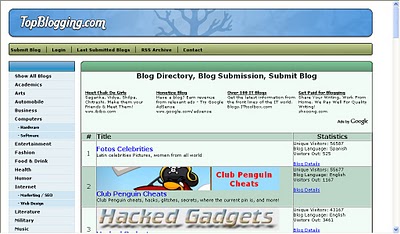
Topblogging.com:This is another source of weblogs which also rank the blogs according to the unique hits they get.Nice blog resource,bring you lots of traffic to your blog.
Blogtoplist:Same here,they rank according to the unique hits you get.But,there is a little change, they will give you to place a voting button in your blog.If any visitor votes for your site from your blog,that is equal to 100 unique hits,but there is only one chance per visitor(one IP address) a day.

Fuelmyblog:This is a cool weblog resource which is different from the ones we discussed so far.You can vote to other blogs and others vote to you.They will keep the top six blogs(voted the most) on the homepage.You can join their forums, read other blogs content,joining in the compitetions and win prizes,etc.

MyBloggingarea:This is a very good weblog directory which ranks the blogs accoring to the unique visitors they get,brought me so much traffic to my celebrity blog than all the other blog directories.I recommend this.

BlogCatalog:It is another good blogging resource,you can promote your blog here for FREE,find other blogs related to yours,etc.They have a special formula to rank the blogs,the more visitors,hits,comments,neighbourhood you get the more your rank will be.Another recommended one.You can join their forums,discussion board,groups,etc with other bloggers and share your thoughts.

BloggingFusion:It is a new one and not a very big one(around 950 blogs) at this time.But,it is a good one and doing pretty well.You can increase your blog exposure, worth a link to it.

Bloghop:You can find blogs related to your blog topic here.Have a nice tracking button and currently having more than 29,000 blogs.

Blogarama:Cool weblog directory currently having more than 69,000 blogs.It will list the blogs in terms of the score your blog have.The score depends on so many things like incoming traffic,outgoing traffic,user ratings,etc. and if you send more traffic to they,they will list your blog in the top 100 blogs.

Topbloglists:Another blog directory which will rank your blog according to the unique hits your blog will get.

Myblogdirectory:This doesn't list blogs interms of any visitors,etc. All blogs are listed randomly so,every blog get the same exposure.If you sent more traffic from your blog to them,your blog will be choosen as a BLOG OF THE DAY which will be placed on the homepage and your blog will recieve the whole traffic their site gets on that day.


Please Feel Free Comments about this topic.
Subscribe to:
Posts (Atom)

